Step into a sky made of your own music
Put on the headset and you're standing on a small floating platform in the middle of deep space. In front of you is a glowing, color-coded piano, its keys curved in an arc so your hands can reach every note without moving. Above and around you: nothing but stars, nebulae, and open sky in every direction — a full 360° environment built to make you forget there's a room behind the headset.
Play a note, and a glowing orb bursts into the sky above you, sized and colored to match what you just played. Play a chord, and the sky fills with a small constellation of color. There's no score, no wrong notes, no task to complete — just a piano and a sky that responds to whatever you create. It's designed to be picked up with zero instructions: aim a controller at a key, pull the trigger, and watch what happens.
A 360° capture of the piano and space environment.
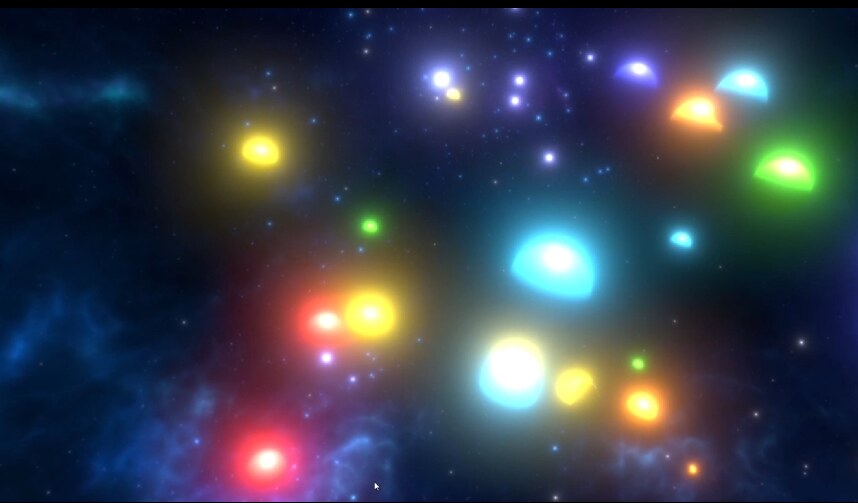
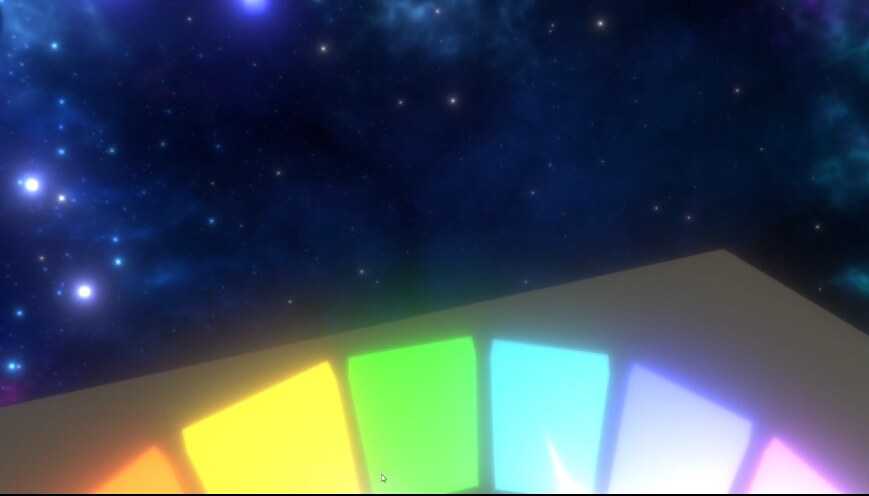
Every note spawns its own glowing orb — colored, sized, and placed to match what's played.
The idea started with synesthesia itself — the neurological condition where senses blend, where people can "see" sound or "taste" color. I wanted to build something that let anyone feel a version of that blending, even for a few minutes, by tying two senses together through code instead of biology.
Before building, understanding sensory design in VR
Before diving into build mode, I researched how immersive interaction design handles sensory feedback more broadly — how other VR systems translate physical input into rich sensory output, and where the technology still falls short. Two threads shaped the direction most:
- Haptic feedback in VR. I looked at how devices like haptic gloves simulate touch and texture through vibration and resistance, and how far that technology still has to go before it feels convincing. This shaped how I thought about substituting a missing sense (touch) with an exaggerated one (color), instead of trying to fake realism I couldn't deliver.
- VR in high-stakes training, like surgical simulation. A completely different use case, but it reinforced a design principle I carried into this project: the interaction itself needs to feel trustworthy and responsive immediately, or people disengage before they ever get to the "payoff."
That research didn't hand me specific features — it shaped the interaction philosophy. Keep the input dead simple (a key press, a raycast, a trigger pull), and put all the design effort into making the output feel rich and immediate.
Building the interaction from the ground up
The project is built in Unity using the XR Interaction Toolkit, developed iteratively with a co-developer across several milestones.
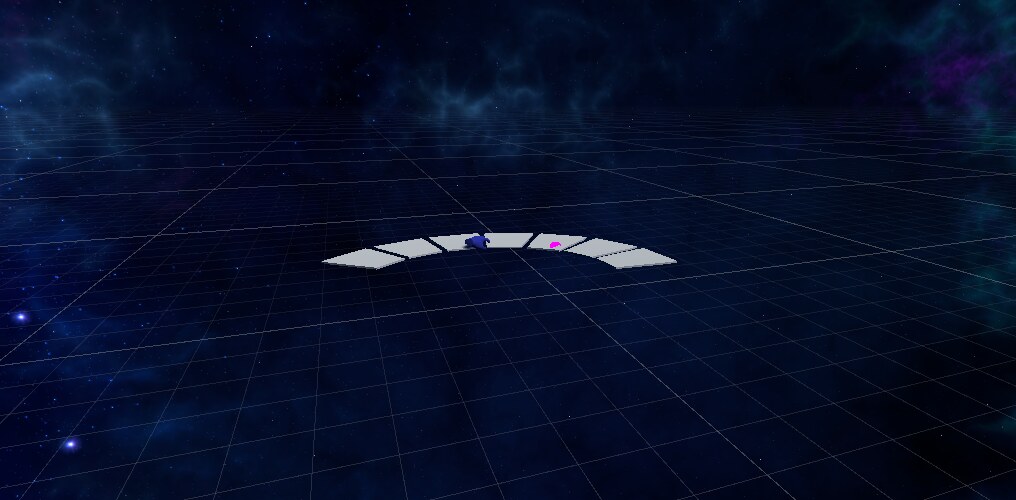
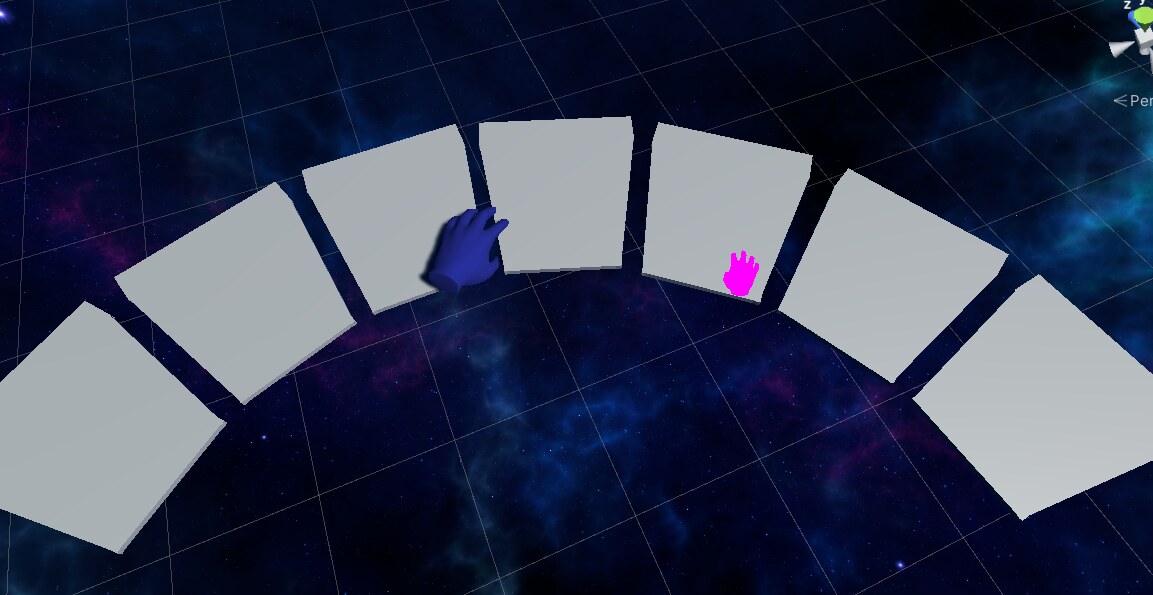
Early prototyping — testing the keyboard layout and hand tracking before any visual polish.
- Foundation first. Before any visuals, we set up Quest 2 hand tracking and controller input, making sure hand models matched each other in size and color and moved correctly with the physical controllers — unglamorous, but it's the layer everything else depends on.
- Piano prefab, key by key. We built a single reusable "piano key" prefab, then assembled the full curved keyboard out of seven instances, each with its own hitbox, color, and note assignment.
- The core interaction script. The heart of the project is a single script that fires every time a key is pressed: spawn an orb, randomize its size and position within a bounded area, set its color to match the key, and play the corresponding note. Getting this to feel instant — no lag between pressing a key and seeing or hearing a response — took real tuning.
- Environment iteration. We built a small library of swappable skybox backgrounds so the space environment could be reconfigured without touching code — early groundwork for what's now a much bigger goal (more on that below).
- Standalone build. Once the core loop worked, we packaged the project into a standalone executable so it could run directly without booting through the Unity editor — important for actually handing it to test participants.
Watching people discover it on their own
I ran a small user study with no instructions given beyond "explore" — the goal was to see how intuitive the experience was completely on its own. A few findings stood out:
- Everyone figured out the piano quickly, but several players didn't notice the orbs spawning above them at first — they were laser-focused on the keyboard. Its low position meant people had to look down constantly, and the "up" glance where the orbs appeared often got missed entirely.
- Musicians in the group wanted more range and nuance — pressure sensitivity, held notes, a wider octave range. Non-musicians found the simplicity relaxing and approachable, and said the low barrier to entry was the whole appeal.
- The single most requested feature: some kind of guide — sheet music, glowing prompts, anything — for players with no musical background who wanted to make something that sounded intentional.
Still building — this isn't a finished experience yet
This is an ongoing side project I keep coming back to. Based directly on what testers asked for, here's what would turn it from a prototype into a full experience:
More environments
Park, concert hall, arctic, forest, cozy home — alternate skyboxes players can switch between, building on the early background-swapping groundwork already in place.
A real settings menu
Choose environment, color scheme, and play mode in-headset, replacing the current "swap files manually" approach.
Color modes
Monochrome and alternate palettes beyond the original rainbow note-to-color mapping.
An expanded keyboard
A wider note range for playing real songs, not just a single octave.
Guided play
Floating sheet music or glowing key prompts showing which note to press next when a song is imported — directly addressing the most common piece of user feedback.
Auto-play mode
Import a song and just watch and listen — no piano-playing required, for a fully passive "orchestral" experience.
What I learned
Building this taught me a lot about the mechanics of VR development — collaborating in Unity, scripting real-time interactions, working with XR hand tracking — but the bigger lesson was about attention. Feedback loops only work if the player is actually looking at the payoff. That single insight from watching six people play has shaped how I think about interface feedback in every project since, VR or otherwise.